Items

Arcane Affinity Fragment
A fragment of an arcane affinity totem. Four fragments can combine to craft a full totem.
Obtained from: exploration

Beast Affinity Fragment
A fragment of a beast affinity totem. Four fragments can combine to craft a full totem.
Obtained from: exploration

Divine Affinity Fragment
A fragment of a divine affinity totem. Four fragments can combine to craft a full totem.
Obtained from: exploration

Fae Affinity Fragment
A fragment of a fae affinity totem. Four fragments can combine to craft a full totem.
Obtained from: exploration
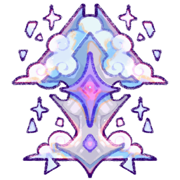
Arcane Affinity Totem
A totem to jumpstart one's connection to the Arcane. This item can be used to activate your character's Arcane Affinity. To do so, follow the steps below.
- Go to the profile of the character whose Affinity you'd like to activate, and create a design update request (click update design).
- In the comments, type in "Arcane Affinity activation".
- Upload the same masterlist image. Do NOT make changes to the design; if you would like to redesign your character, you will need to wait and make a separate design update request!
- Under inventory add-ons, attach this item.
- In the trait section, add the trait Arcane Affinity.
A mod will approve the design update with the new Affinity trait, making them eligible to participate in the Mage's Academy (guide here) and magic-based activities.
Obtained from: Crafting
Availability
Purchaseable At:
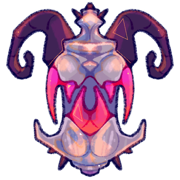
Beast Affinity Totem
A totem to jumpstart one's connection to the Bestial. This item can be used to activate your character's Beast Affinity. To do so, follow the steps below.
- Go to the profile of the character whose Affinity you'd like to activate, and create a design update request (click update design).
- In the comments, type in "Beast Affinity activation".
- Upload the same masterlist image. Do NOT make changes to the design; if you would like to redesign your character, you will need to wait and make a separate design update request!
- Under inventory add-ons, attach this item.
- In the trait section, add the trait Beast Affinity.
A mod will approve the design update with the new Affinity trait, making them eligible to participate in the Mage's Academy (guide here) and magic-based activities.
Obtained from: Crafting
Availability
Purchaseable At:

Divine Affinity Totem
A totem to jumpstart one's connection to the Divine. This item can be used to activate your character's Divine Affinity. To do so, follow the steps below.
- Go to the profile of the character whose Affinity you'd like to activate, and create a design update request (click update design).
- In the comments, type in "Divine Affinity activation".
- Upload the same masterlist image. Do NOT make changes to the design; if you would like to redesign your character, you will need to wait and make a separate design update request!
- Under inventory add-ons, attach this item.
- In the trait section, add the trait Divine Affinity.
A mod will approve the design update with the new Affinity trait, making them eligible to participate in the Mage's Academy (guide here) and magic-based activities.
Obtained from: Crafting
Availability
Purchaseable At:

Fae Affinity Totem
A totem to jumpstart one's connection to the Fae. This item can be used to activate your character's Fae Affinity. To do so, follow the steps below.
- Go to the profile of the character whose Affinity you'd like to activate, and create a design update request (click update design).
- In the comments, type in "Fae Affinity activation".
- Upload the same masterlist image. Do NOT make changes to the design; if you would like to redesign your character, you will need to wait and make a separate design update request!
- Under inventory add-ons, attach this item.
- In the trait section, add the trait Fae Affinity.
A mod will approve the design update with the new Affinity trait, making them eligible to participate in the Mage's Academy (guide here) and magic-based activities.
Obtained from: Crafting
Availability
Purchaseable At: